How it works
From sign-up to your first sale in an evening
Five steps, in the order most shops take them. A person can help with any of them.
-
Open your shop
Sign up with your email and a password, name the shop and pick the kind of business. Sign-in codes and password resets come by email. 14 days free, no card.
-
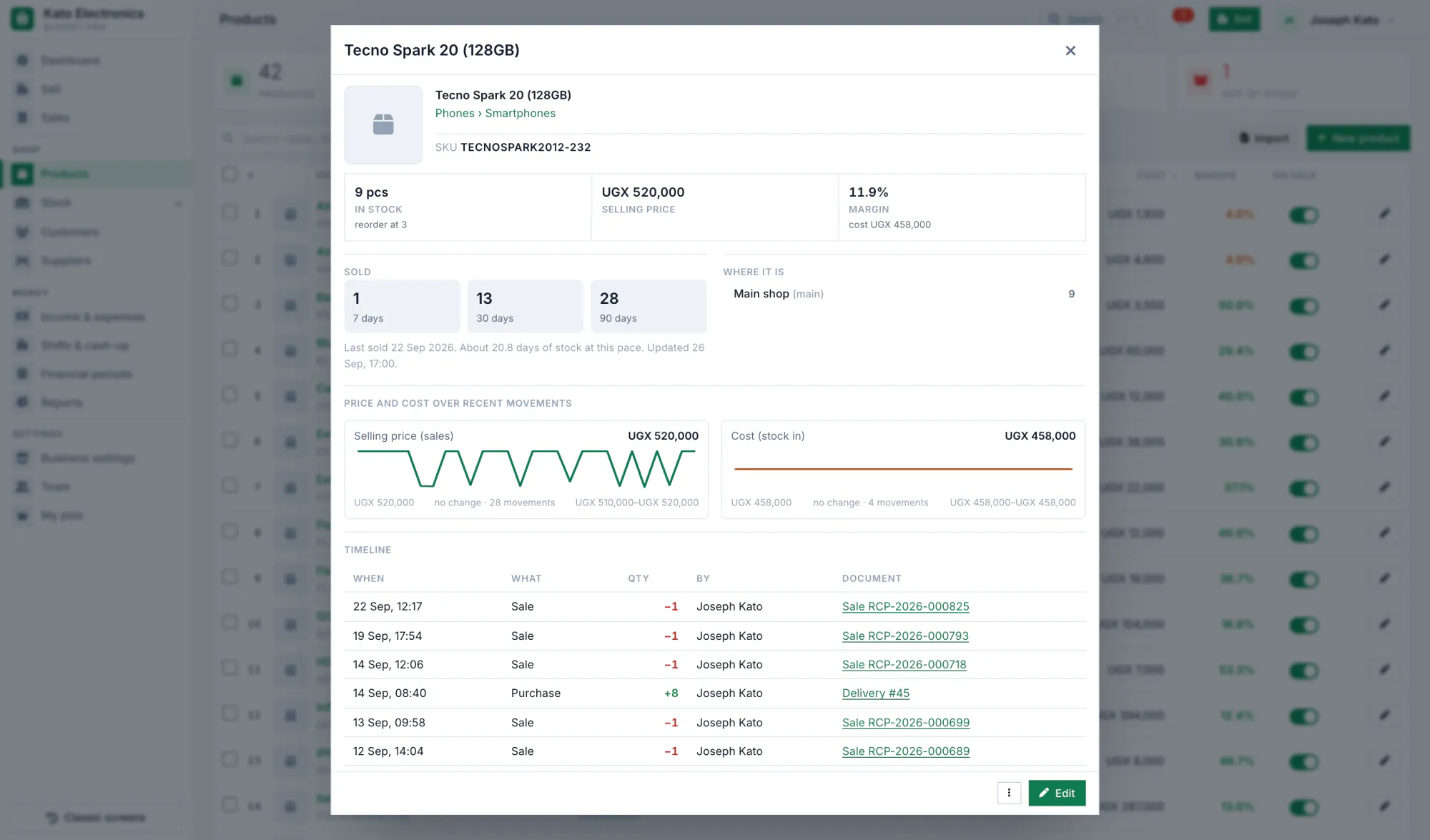
Put your products in
Type them in, or import a spreadsheet: a CSV on the computer, or an Excel or CSV file in the phone app. Add the counts on the shelf, the prices and a minimum for each.
-
Add your staff
Give each person a login and a role. A cashier sells; buying prices and profit stay with the roles you choose.
-
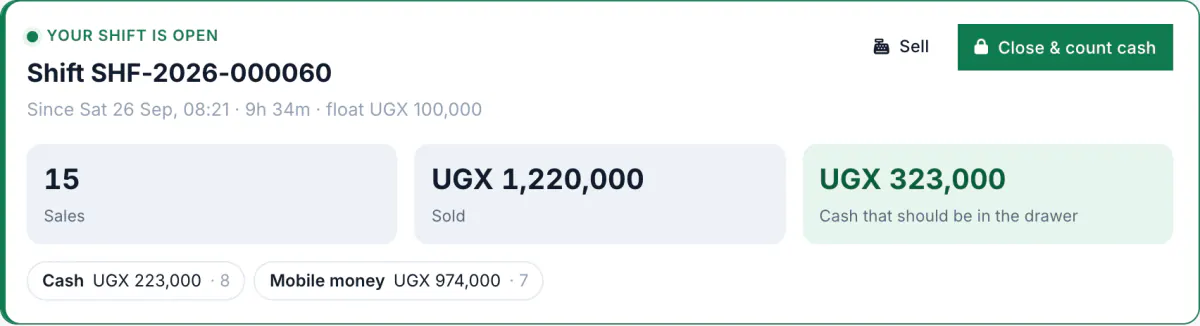
Open the shift and sell
Count the float, open the shift, and make the first sale. Print the receipt or share it on WhatsApp from your phone. At closing, count the drawer.
-
Phone and computer, kept in step
Sign in with the same account on the phone app and on any computer. The phone saves every record first and sends it when it has a network; the other phones and the web catch up.
Help when you start
Send us your product list and ask; we can help you get it in. How to reach us.