Shelfie, for shops, kiosks and supermarkets
Your shop's book, on your phone. Even when the network isn't.
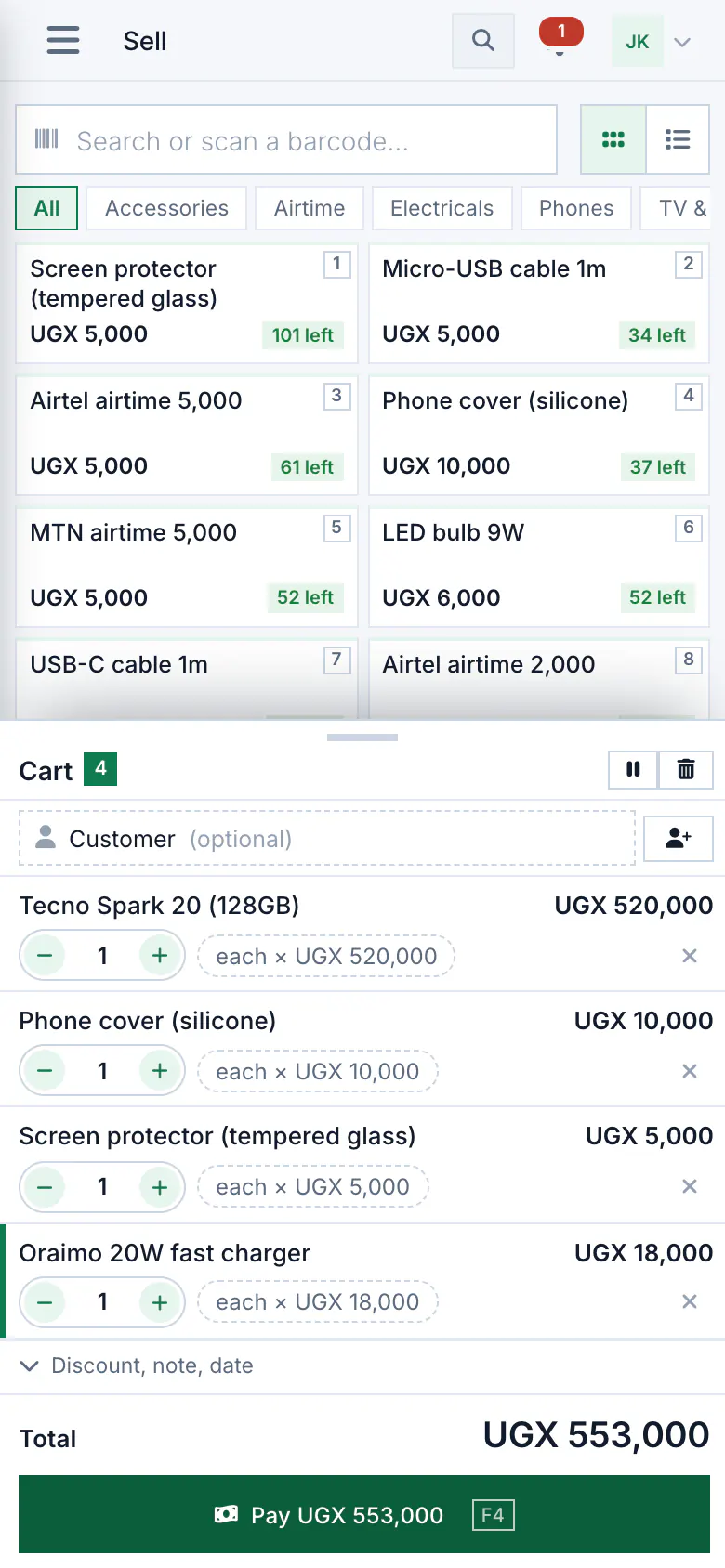
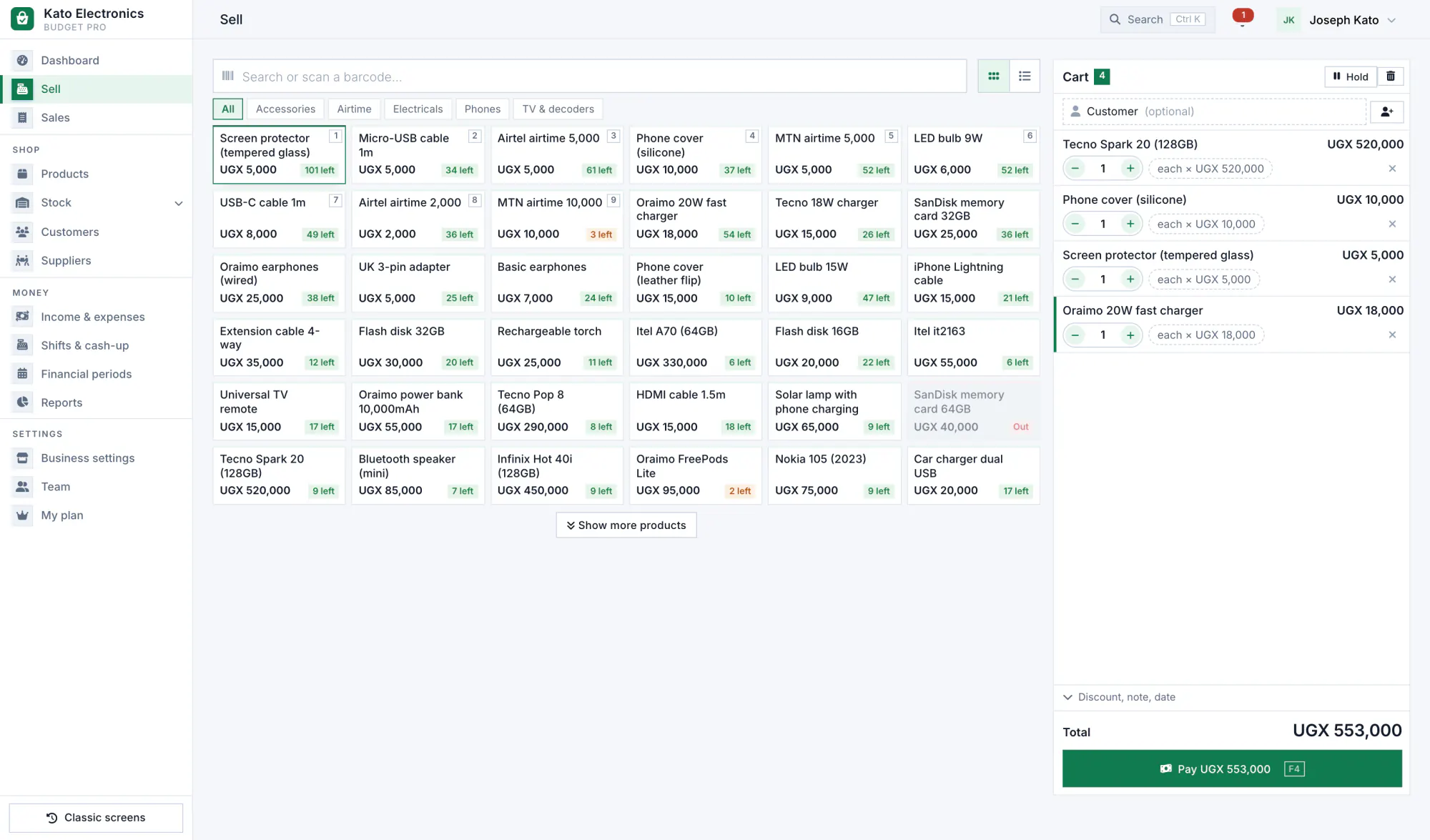
Sell at the counter, know what is on the shelf and keep track of who owes you, on an Android phone or any computer. When the data bundle runs out, the till keeps going and catches up later.
- 14 days free, no card
- Cash, mobile money and card
- Receipts on WhatsApp
See it in 2 minutes
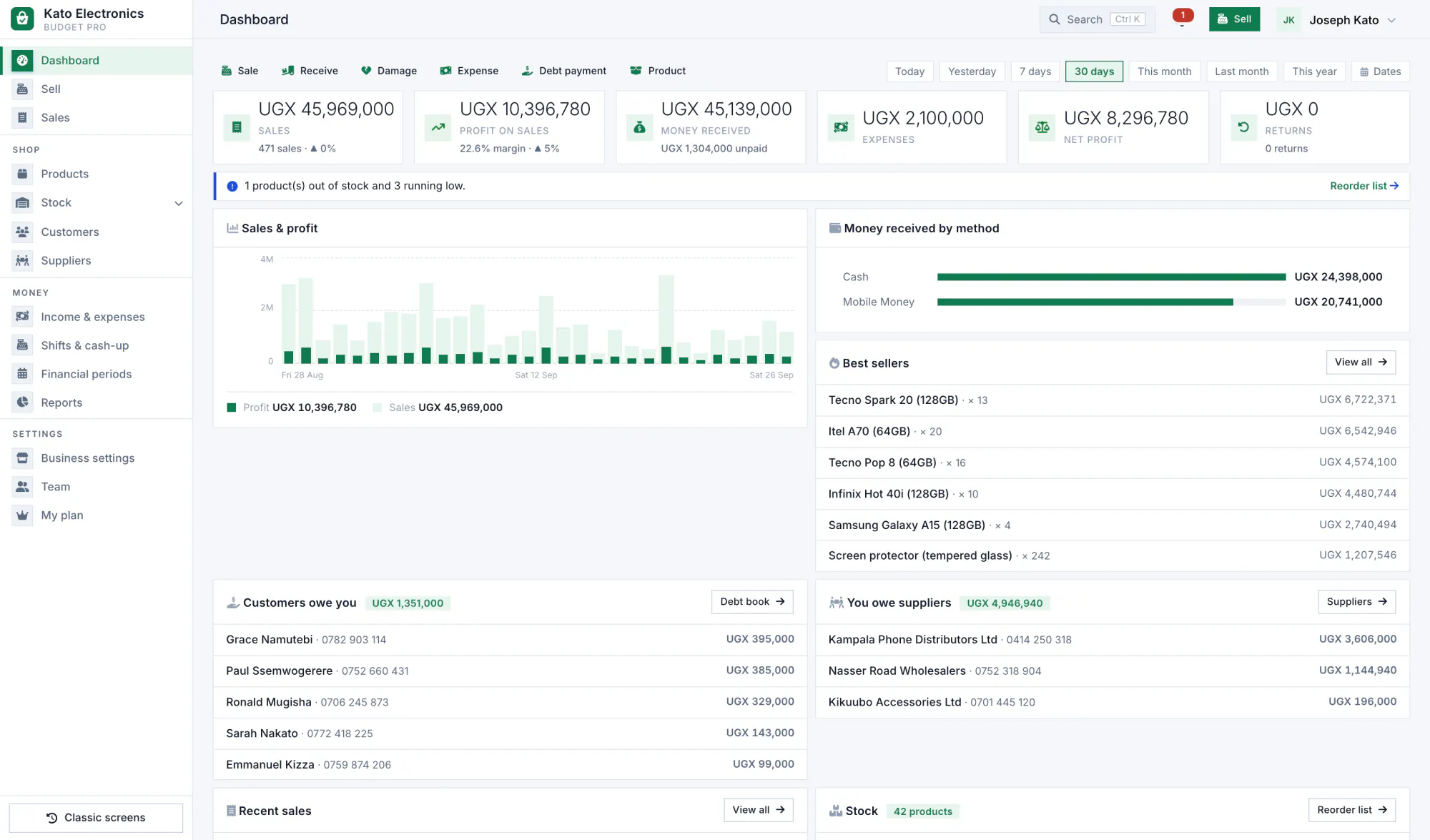
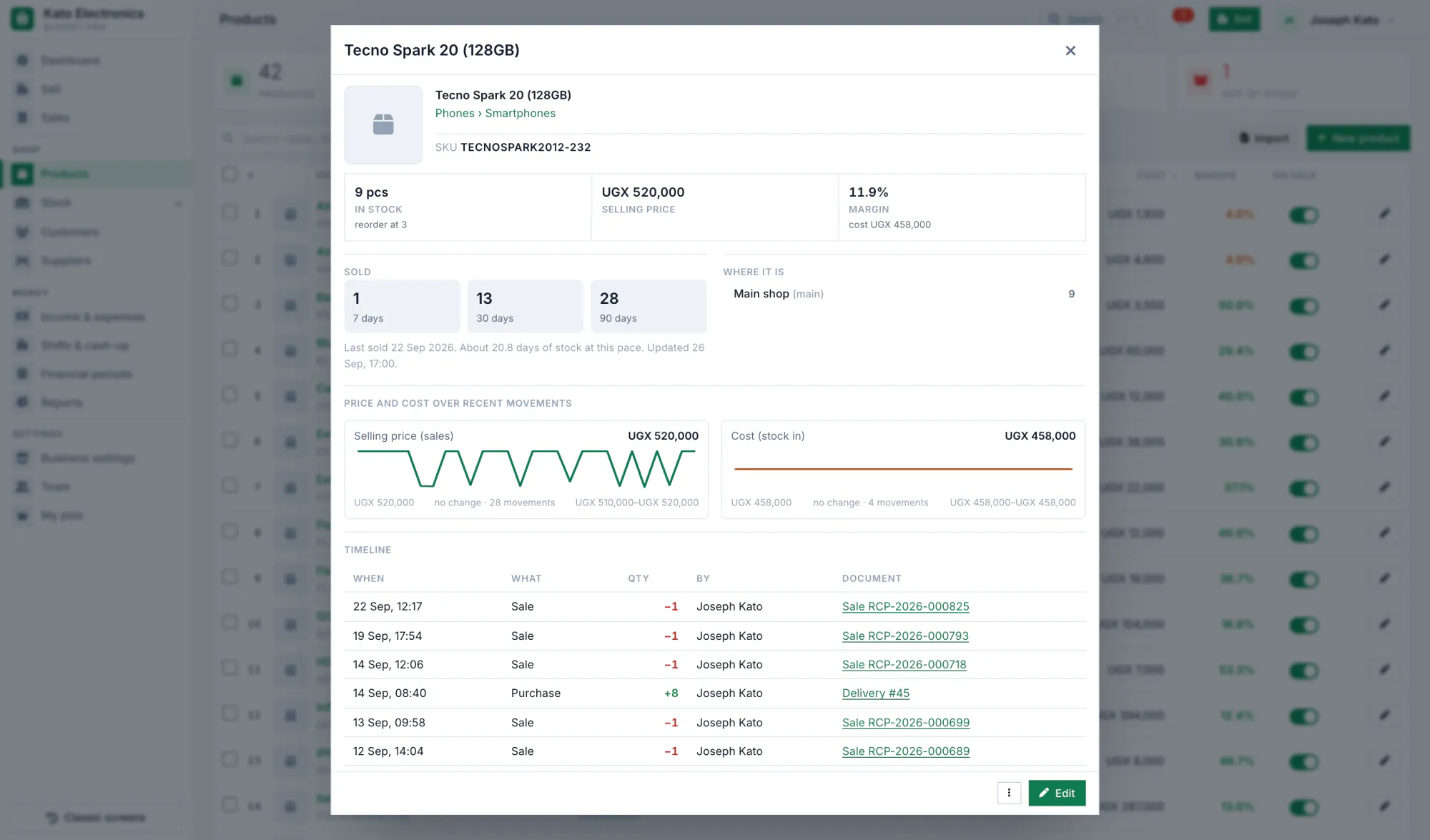
Real screens from our demo shop, Kato Electronics, after two months of selling phones, chargers and airtime. Nothing here is drawn or mocked up.
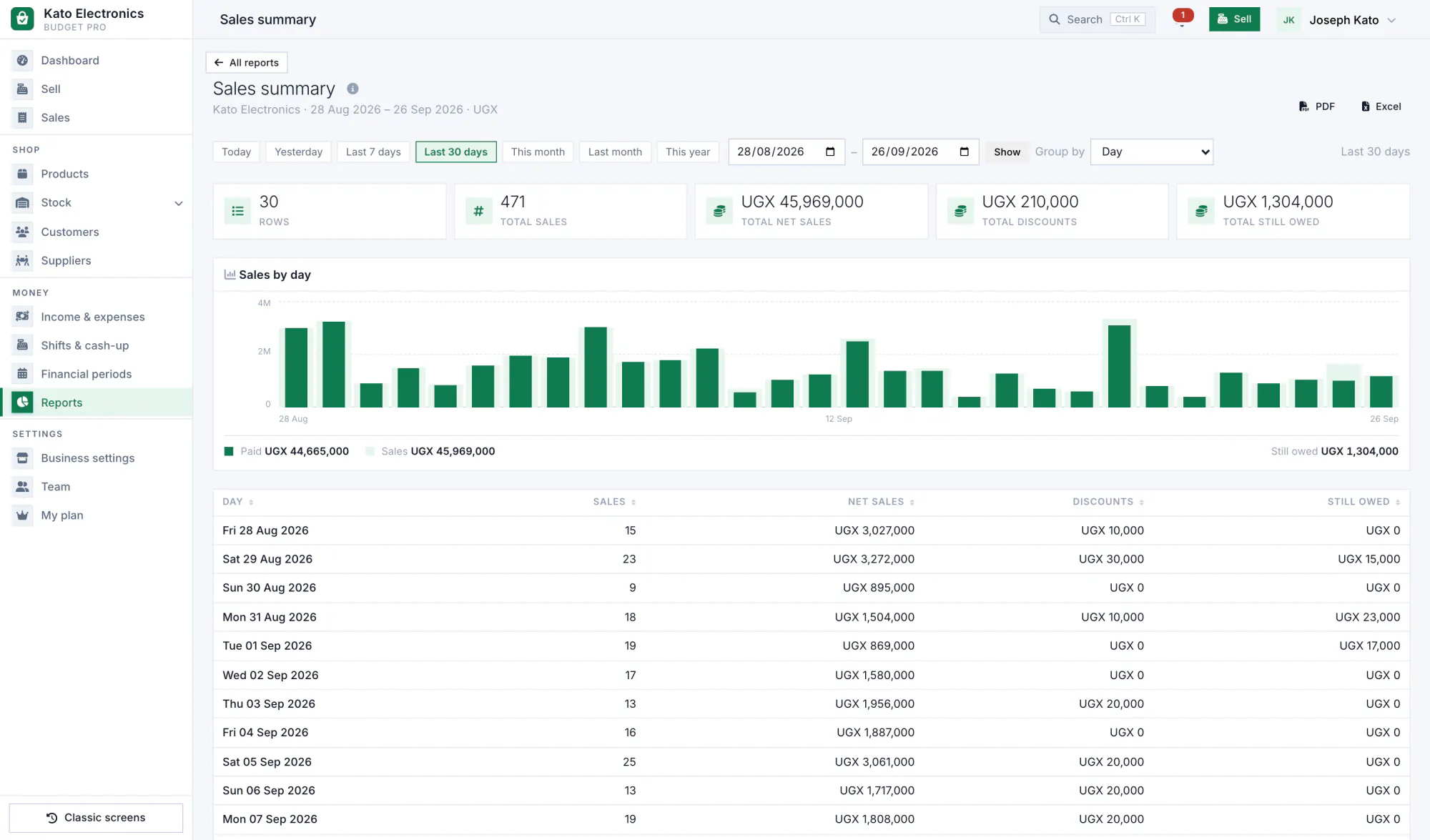
A day at Kato Electronics
From lifting the shutter to counting the drawer. Each picture is the real screen for that moment.
-
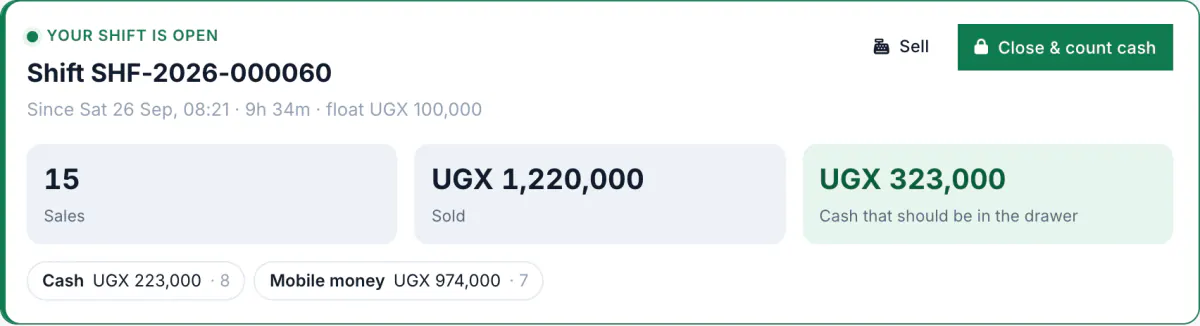
Open the shift
Count the float into the drawer and open the shift. Every sale until closing is counted against it, by cash and by mobile money.
-
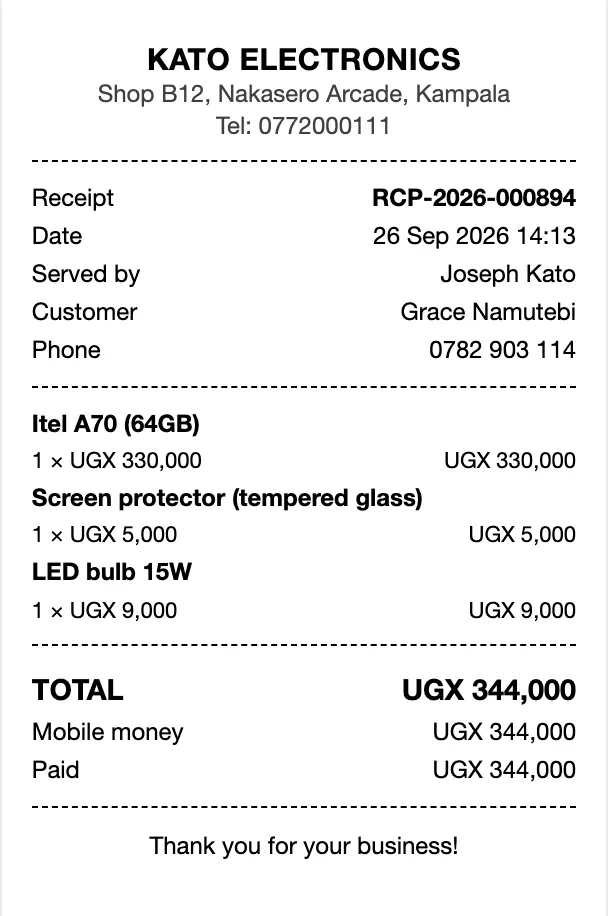
The network drops. The sale doesn't.
The data bundle is finished again. The phone keeps selling and holds each sale until the connection is back. The customer pays by mobile money and gets the receipt on WhatsApp.
-
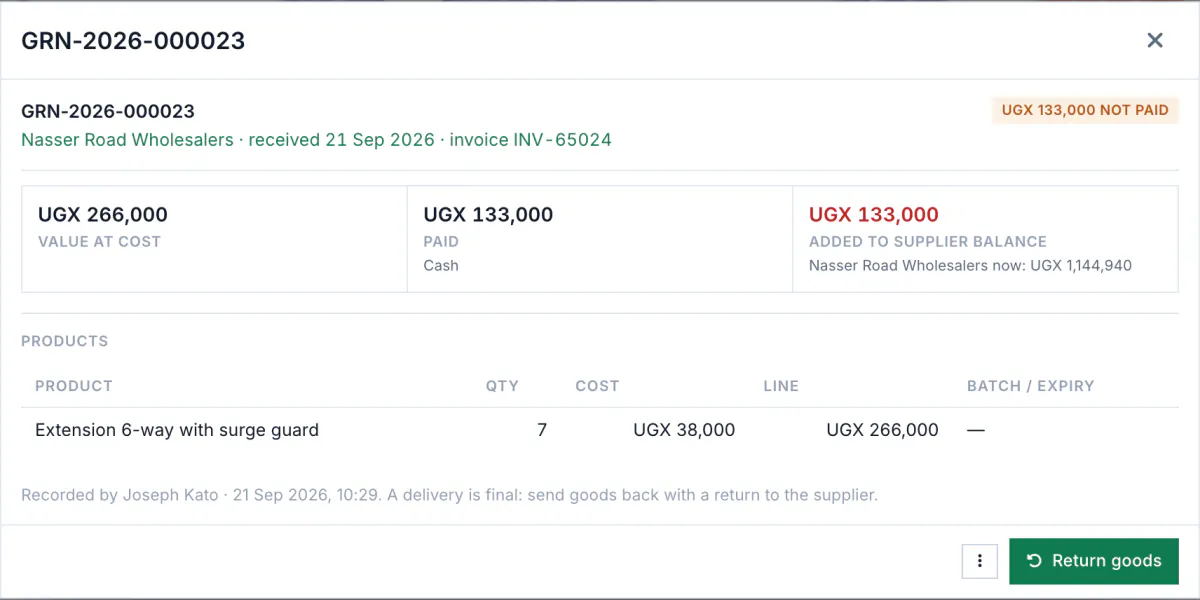
A delivery arrives
Tick what came against what you ordered. The stock goes up, the new buying price is kept so profit stays true, and what you still owe the supplier is written down.
-
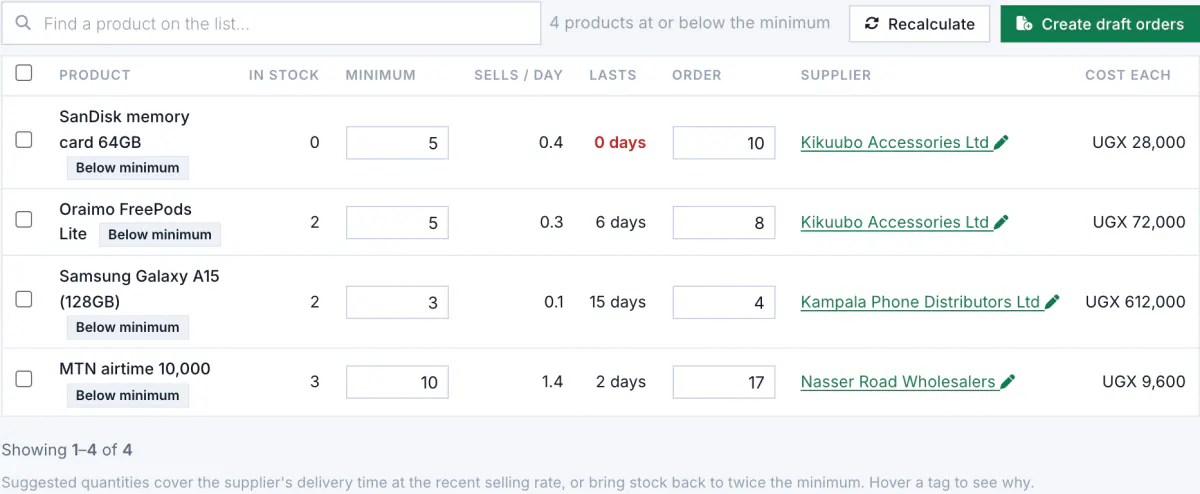
Four items are running low
Shelfie warns you before the shelf is empty. The reorder list says how many to buy from which supplier, worked out from how fast each item sells.
-
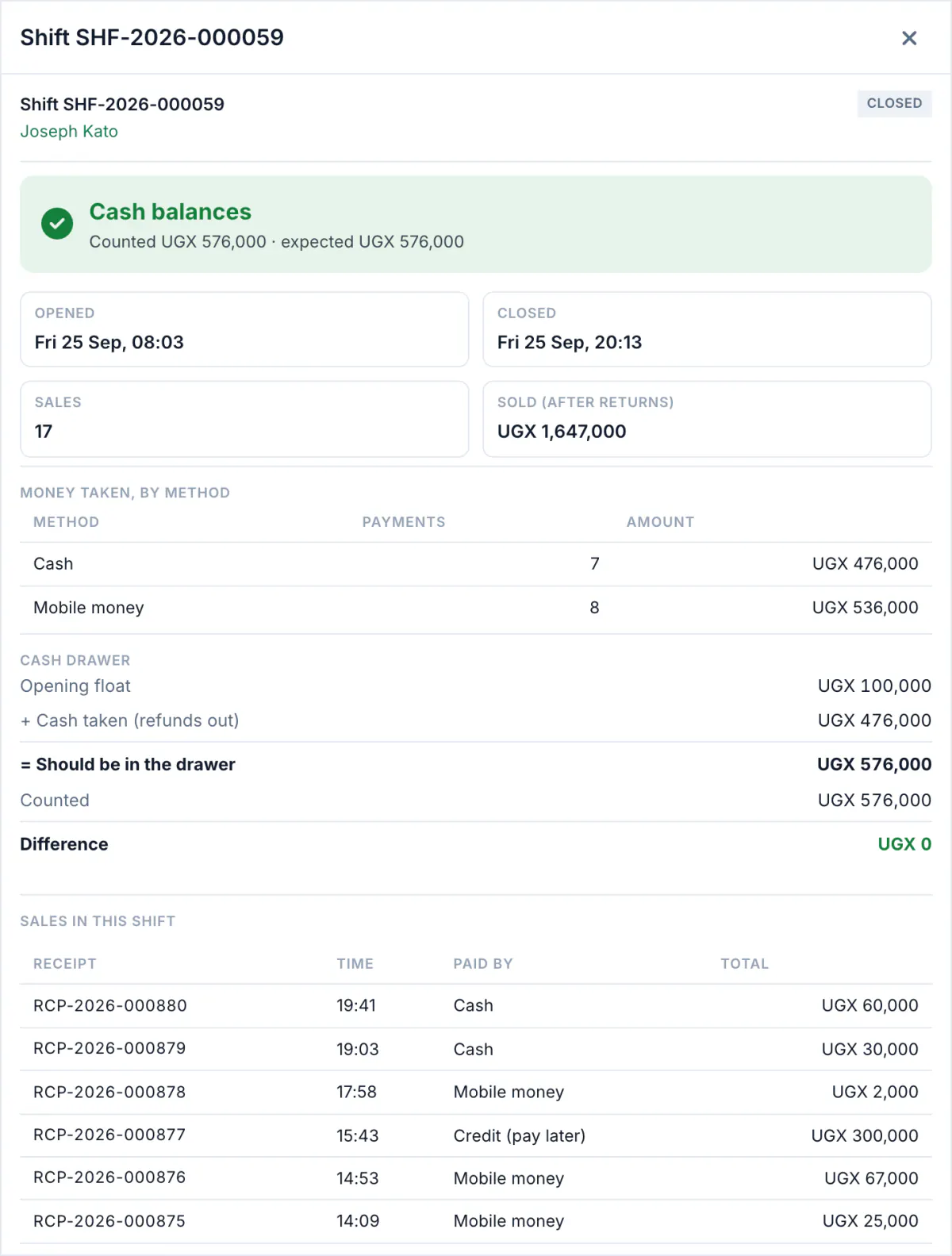
The cash-up matches
Count the drawer and close the shift. You see what should be there and what you counted, side by side, and any difference is recorded with the cashier's name.
Later, at home, the day's sales and profit are on your phone. See everything it does
Stop losing money to I'll pay on Friday
.
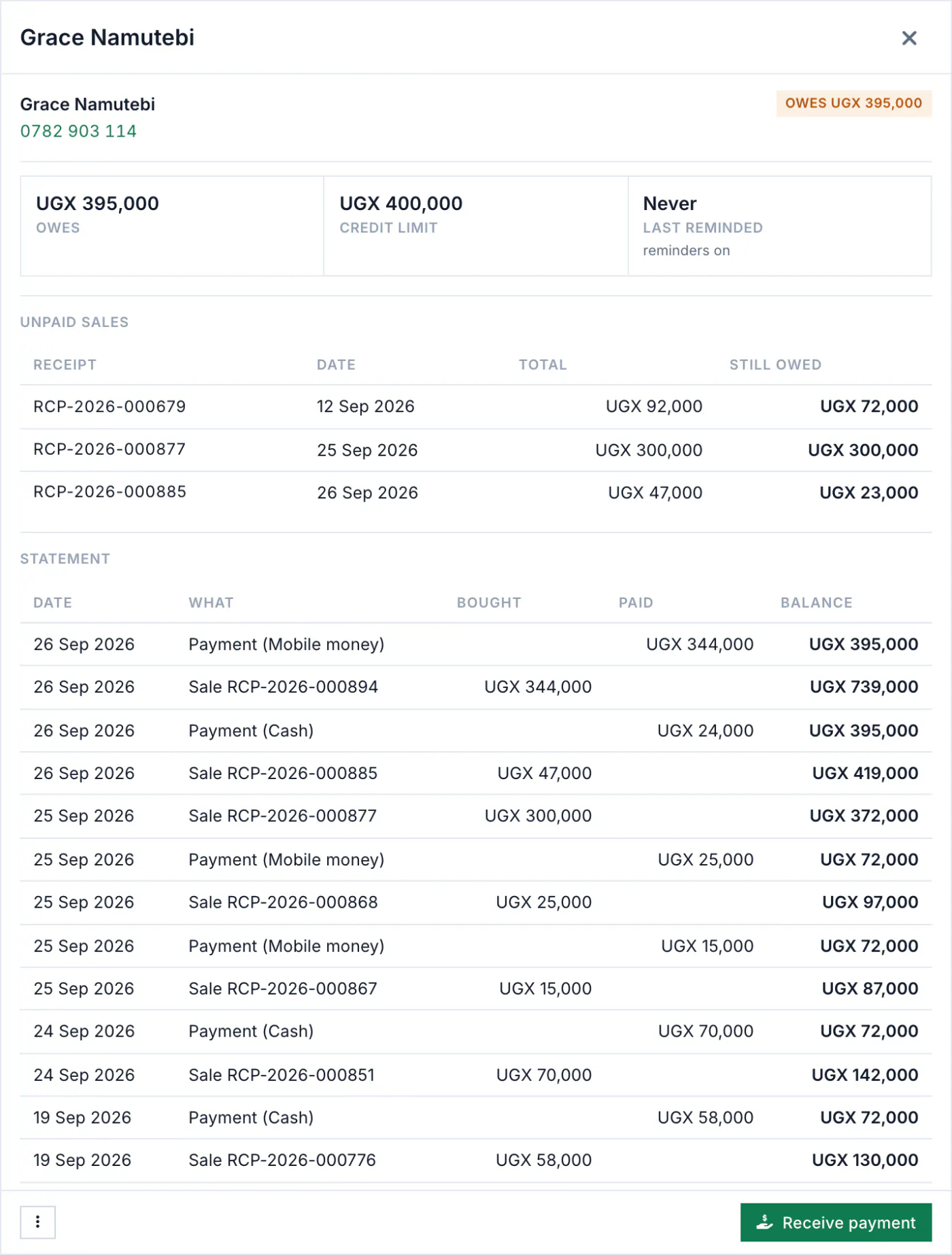
Every credit sale goes straight into the customer's account. You see who owes what, since when, and every sale and payment behind the figure.
- A credit limit for each customer, so nobody runs up more than you allow.
- Part payments by any method. The money clears the oldest sales first.
- A polite reminder on WhatsApp or SMS, sent by you, or once a week for overdue balances if you switch it on.
- A statement to print, or to send on WhatsApp from the phone.
Start free. Pay when the shop is busy.
Every new shop starts with 14 days free, no card. Then stay on Free or pay, monthly or yearly, by mobile money or card.
One plan covers all four apps. Shelfie, Kuku Tally, Pledge & Budget and Budget Pro share your account, your records and your plan. Compare every limit
What shop owners ask us first
Something else on your mind? Ask us.
Which receipt printers work?
The phone app prints to Bluetooth thermal printers, the common 58 mm and 80 mm kind. On a computer, the receipt opens sized for 58 mm or 80 mm paper and prints on any printer the computer can use. A USB barcode scanner works at the web till like a keyboard, and the phone's camera scans barcodes too.
Does it issue EFRIS fiscal receipts?
Not yet. Shelfie has an EFRIS connector, but it must first be certified on URA's test system with your shop's own TIN, EFRIS device number and key before it issues fiscal receipts, and your goods must already be registered with URA. Until your connection is certified, keep issuing fiscal receipts from the EFRIS system you use now. The VAT summary report works today: it adds up the VAT in your sales and purchases for any dates, for your return.
What if a phone is stolen?
Your records are on our servers, so you lose only the sales that phone had not yet sent. On a computer, open Team and set a new password for whoever used the phone: every phone signed in with the old password is signed out at once. Records already on the phone stay on it, so set a PIN in the app on every shop phone. It asks for the PIN whenever the app has been left for a couple of minutes.
My shop is in an exercise book. How do I move it?
Start with your products. Type them in, or fill in a spreadsheet and import it: a CSV file on the web (in Excel, choose Save as CSV), or an Excel or CSV file in the phone app. Add customers as they come. There is no field yet for what a customer owed before you started, so keep the old debts in the book until they are paid, and let Shelfie keep every new one.
Does it work without internet?
Yes, in the phone app. Sales, stock changes and new customers are saved on the phone and sent when the connection comes back. A finished sale is never refused when it syncs; if stock went below zero in the meantime, it is flagged for you to check. On a computer, the web till needs a connection.
Can several phones sell in one shop?
Yes. Each phone sells on its own, with its own receipt numbers, and they share one stock once they sync. Your plan sets how many phones you can connect.
Can my cashier see my profit or buying prices?
Not unless you allow it. Each person gets a role: a cashier sells, a stock keeper manages stock, an accountant sees the books. Buying prices and profit show only to the roles you allow.
Can I pay by the year?
Yes. Pay monthly or yearly by card, or by mobile money where your country has it, from inside your account. You can change plan at any time.
Who do I talk to if I get stuck?
Call us on +256 783 204 665 or send us a WhatsApp message (Monday to Saturday, 8:00 to 20:00), or use the contact page and a person will reply, usually within one working day.
Shelfie on your phone
The till, the stock and the debt book in your pocket, with the same account as the web. Your products and prices are on the phone a minute after you sign in.
Coming soon to Google Play
Until Shelfie arrives, the web till runs in any browser with the same account, and the shop is in the Budget Pro app on Google Play.
Open your shop tonight. Sell with it tomorrow.
14 days free, no card, nothing to install on the computer.
Questions first? WhatsApp us on +256 783 204 665 (Monday to Saturday, 8:00 to 20:00).