Debts
Stop losing money to “I’ll pay on Friday”
Every credit sale goes straight into the customer’s account. You see who owes what, since when, and every sale and payment behind the figure.
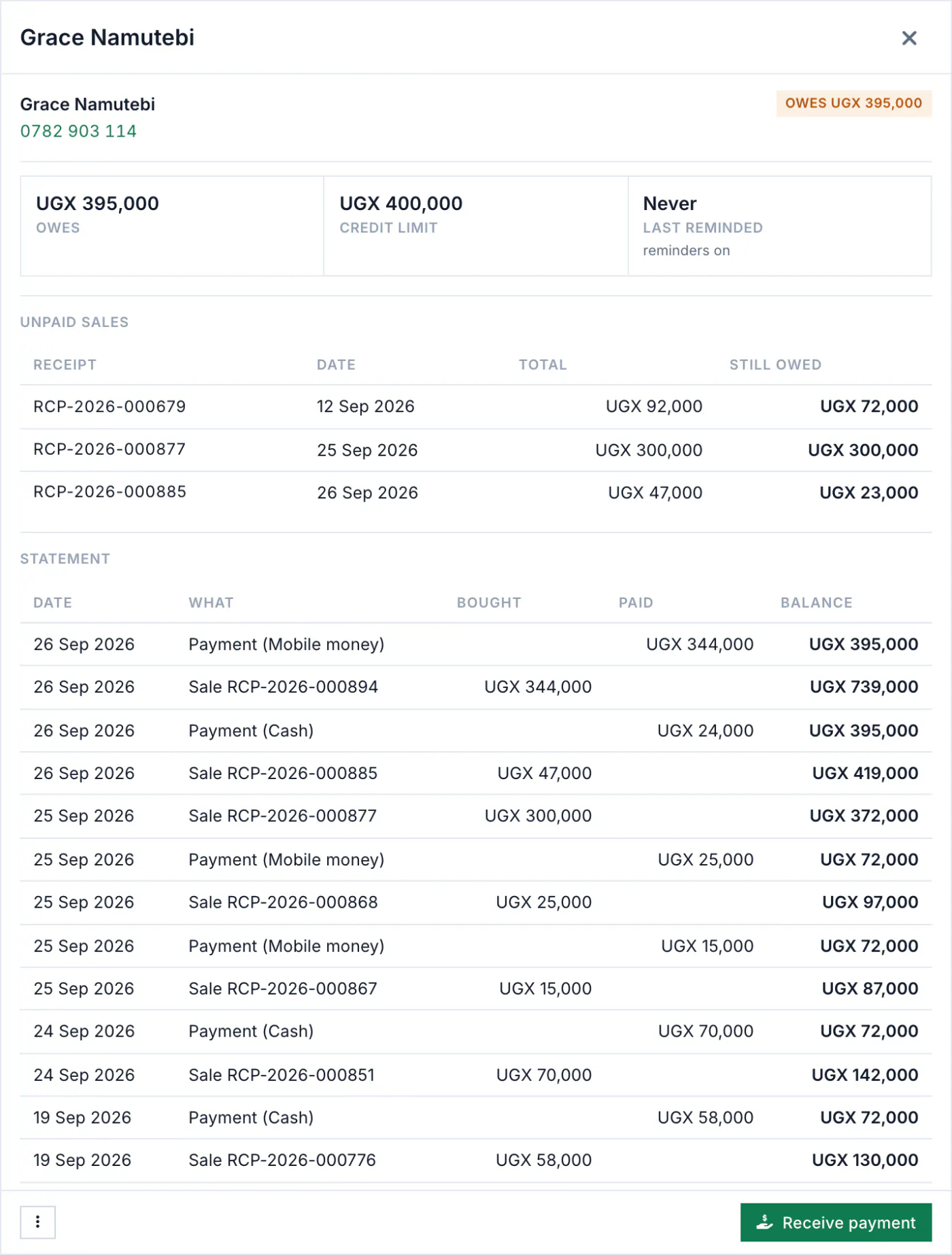
One book for every customer who owes
A credit sale is written down the moment it is made, on the phone or the computer.
- Customers with an account, and people you only know by name: both are in the book.
- How long each debt has been open, so the old ones stand out.
- What customers owe, by age, in the reports as PDF or Excel.
A limit for each customer
Set how much each customer may owe and how many days they have to pay (30 to begin with). The till checks the limit before it lets the sale go on credit, on the phone too, with no network.
Part payments, cleared oldest first
Take a payment of any amount, by any method. It clears the oldest sales first, and the balance works itself out.
Statements and reminders
A statement with every sale, every payment and the balance after each.
- Print it, save it as a PDF or share it on WhatsApp from your phone.
- A polite reminder is written for you with the customer’s name and balance. Shelfie opens WhatsApp on your phone and you press send, from your own number.
Our server does not send reminders for you. Every message goes from your phone, when you choose.
And what you owe
The same care on the other side: each supplier’s balance, part payments, and a statement.
Questions about debts
More on the questions page.
Can I add what customers owed before Shelfie?
Not yet. There is no field for an old balance, so keep the old debts in the book until they are paid, and let Shelfie keep every new one.
Are reminders sent automatically?
No. Shelfie writes each reminder and opens WhatsApp on your phone; you send it from your own number.