Selling
A till for a busy counter
The same till on an Android phone and in any computer’s browser. Find the item, take the money, hand over the receipt, and count the drawer at the end of the day.
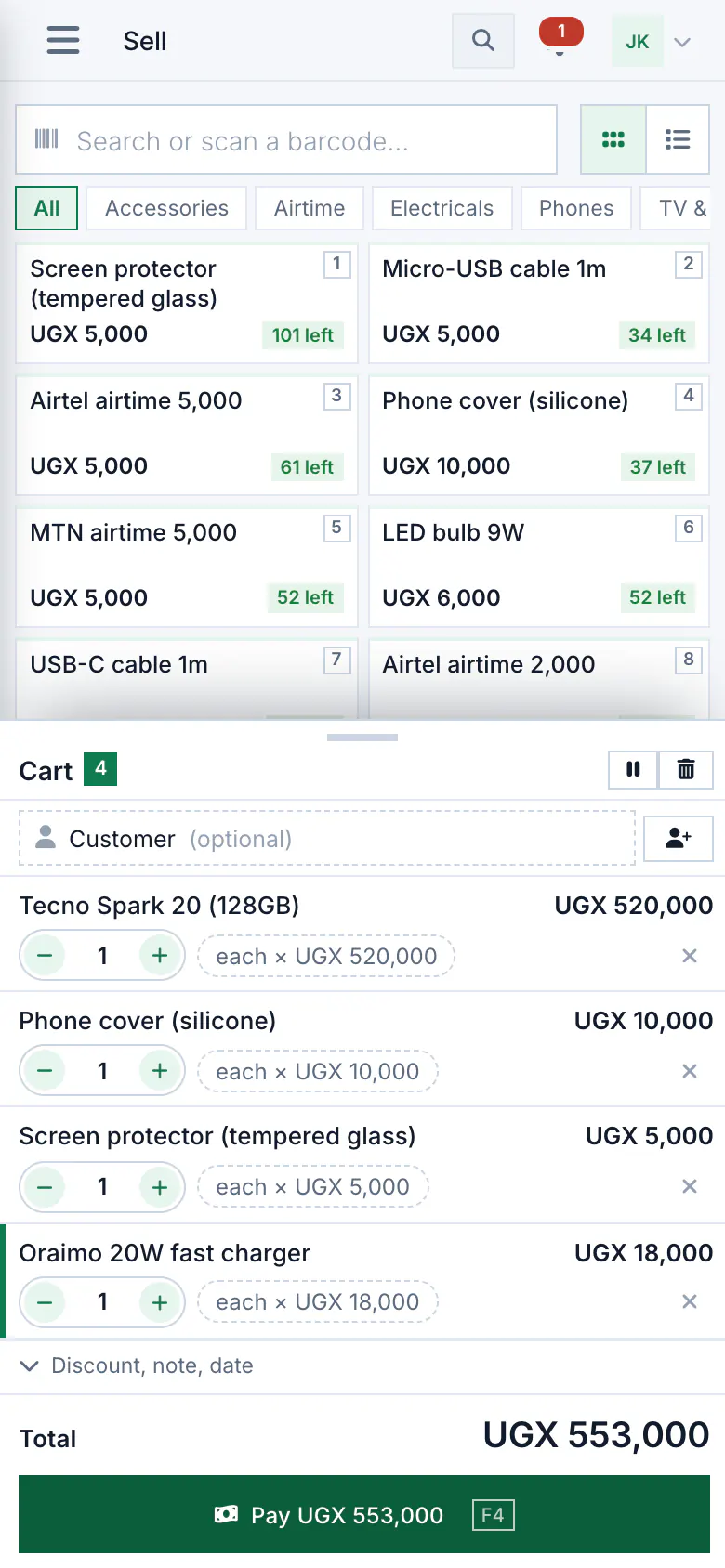
Find it, add it, take the money
Search by name or code, scan the barcode, or tap a product from the list.
- Scanning: the phone’s camera reads barcodes, and a scanner that types like a keyboard works on the phone and at the web till.
- Pack sizes: a single, a dozen or a carton, each with its own price and barcode if you like. The stock is always counted in pieces.
- Discounts for the people you allow: the owner and the manager to begin with, never a cashier unless you say so.
- Hold a sale while the customer fetches one more thing, and serve the next person meanwhile.
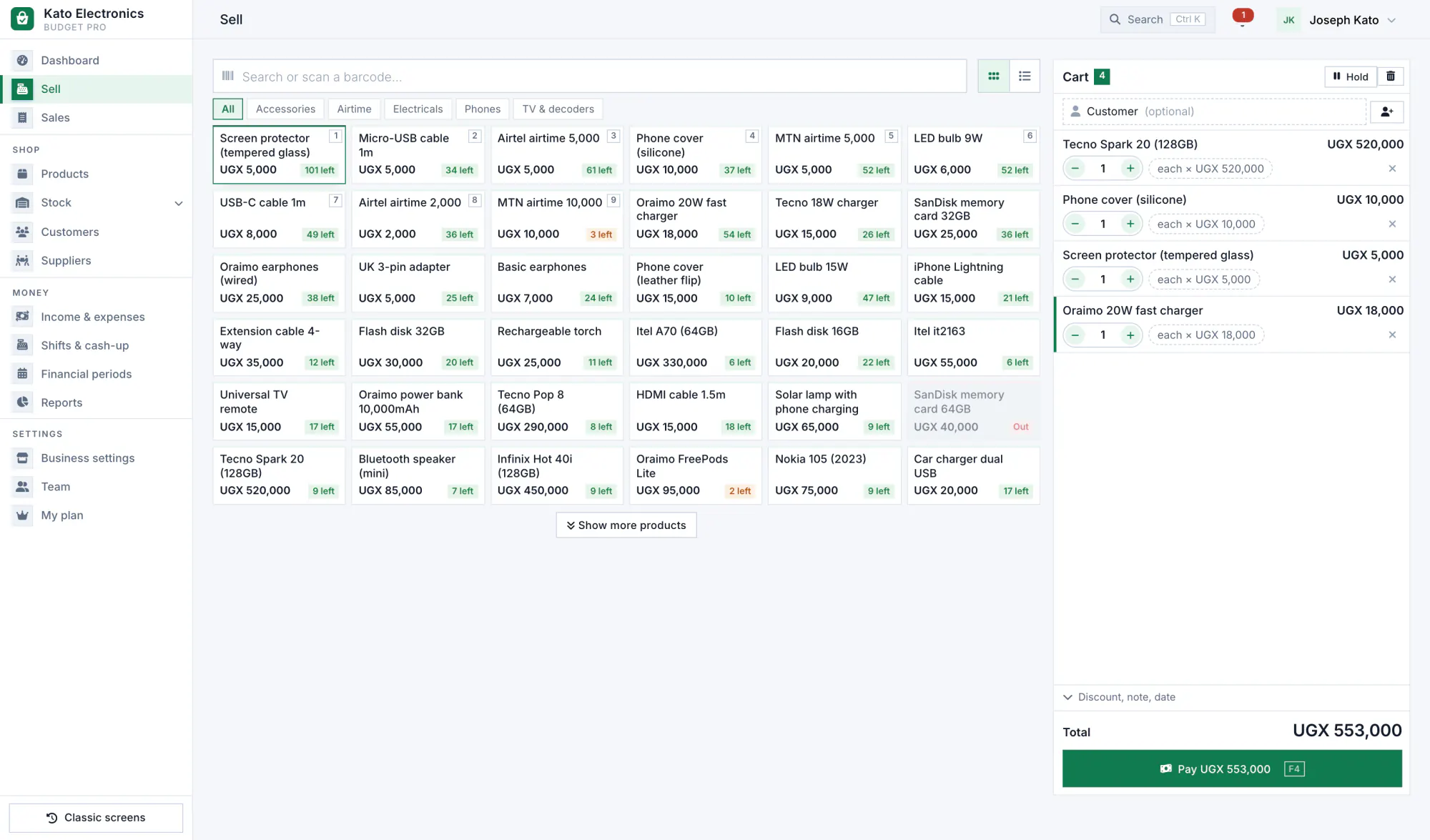
Paid any way the customer pays
Cash, mobile money, card, bank transfer or credit, and one sale split across two or more.
- Cash with the change worked out.
- Credit goes straight into the customer’s account in the debt book, within the limit you set for them.
- The payment method is kept with every sale, so the cash-up counts cash and mobile money apart.
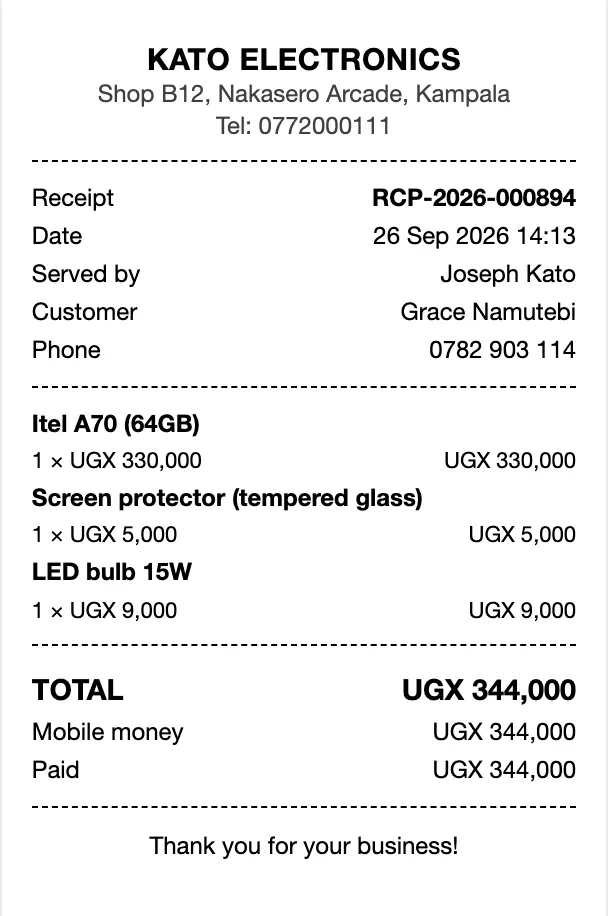
A receipt for every sale
Every sale is numbered. Each phone numbers its own, so two phones selling at once never clash.
- From the phone: Bluetooth thermal printers, the common 58 mm and 80 mm kind, or the receipt as a picture.
- From a computer: a receipt sized for 58 mm or 80 mm paper, a PDF, or an invoice PDF.
- On WhatsApp: Shelfie opens WhatsApp on your phone with the receipt written out. You press send, from your own number, at no cost from us.
Returns and voids, with a reason
Mistakes are corrected, never erased.
- A void needs a reason, and the sale stays in the history marked void.
- A return puts good items back on the shelf and writes off faulty ones, so the stock stays right.
- With approvals switched on, a void, a refund or a big price cut asks for a manager’s PIN.
Shifts and the cash-up
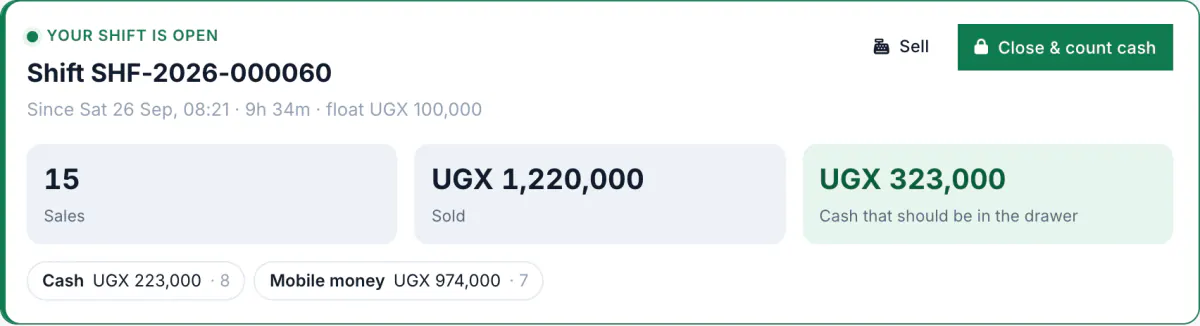
Open the shift with the float in the drawer. Every sale until closing is counted against it.
- Open. Count the float and open the shift.
- Sell. Cash and mobile money are added up as you go.
- Close. Count the drawer. You see what should be there and what you counted, side by side, and any difference is kept with the cashier’s name.
With cash control switched on: X and Z reports, cash drops to the safe, pay-ins and pay-outs, and a blind cash-up if you want one.
When the shelf says zero
You choose what the till does when an item’s count reaches zero: sell with a warning (the default), sell without asking, or refuse the sale.
A sale made offline is never refused when it syncs. If the count went below zero, the sale is flagged so somebody checks the shelf.
Questions about selling
More on the questions page.
Which receipt printers work?
The phone app prints to Bluetooth thermal printers, 58 mm and 80 mm. On a computer, the receipt opens sized for that paper and prints on any printer the computer can use.
Does Shelfie send the receipt on WhatsApp for me?
It writes the receipt and opens WhatsApp on your phone with it. You press send, from your own number. Our server does not send messages.
Can two phones sell at the same time?
Yes. Each phone numbers its own receipts and they share one stock once they sync. Your plan sets how many phones you can connect.