Stock
Stock that adds up
Every item in and out of the shop is its own entry, with the reason and the person who did it. So when the count on the shelf and the count in Shelfie differ, you can see why.
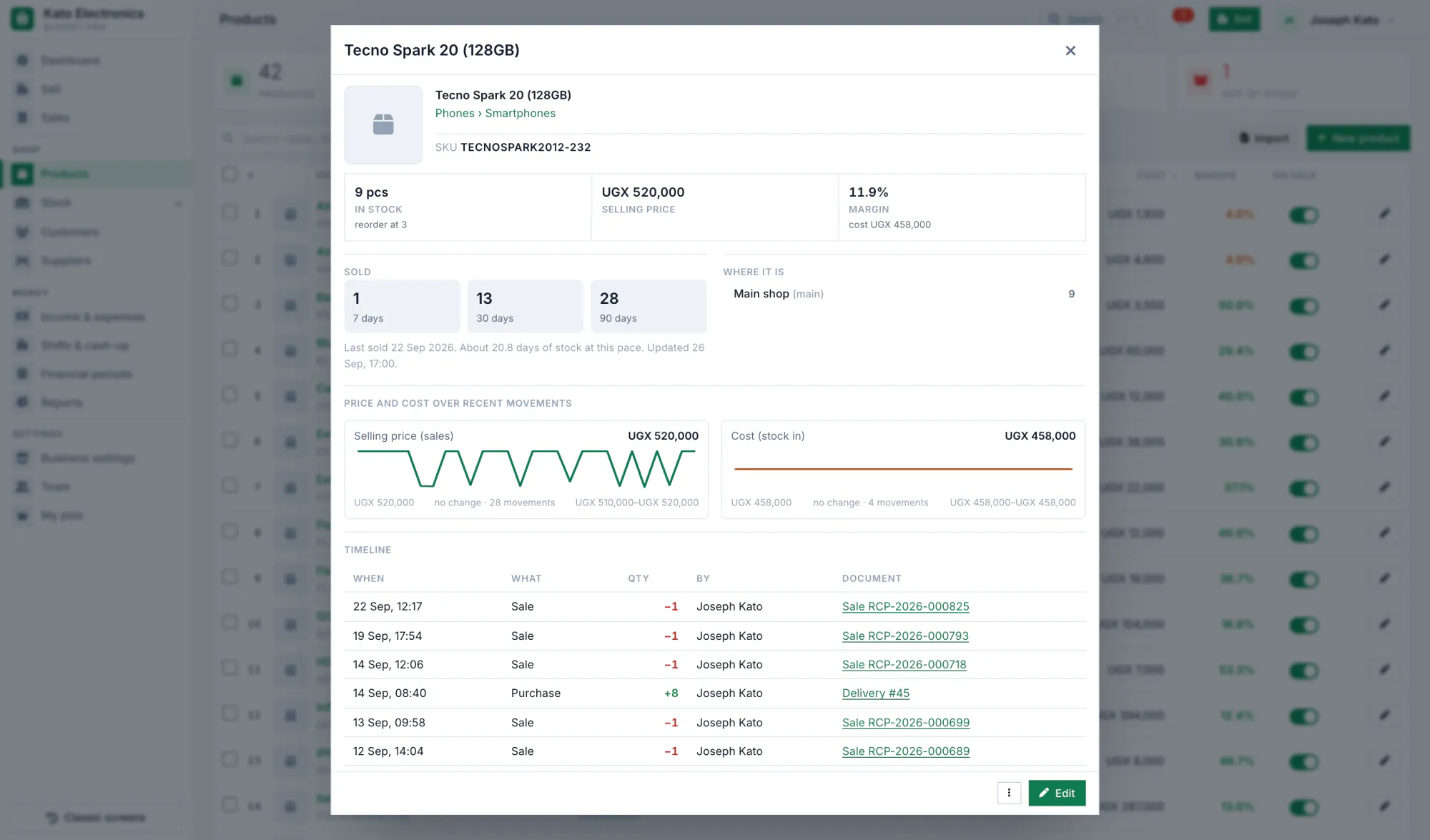
A stock card for every product
Stock on hand, the buying and selling price, and the history behind the figure.
- Every kind of movement: sales, deliveries, returns, damage, expiry, loss, own use, counts and transfers.
- Categories, units and photos, and a minimum level for each product.
- Barcode labels and shelf labels printed from the computer.
Deliveries and suppliers
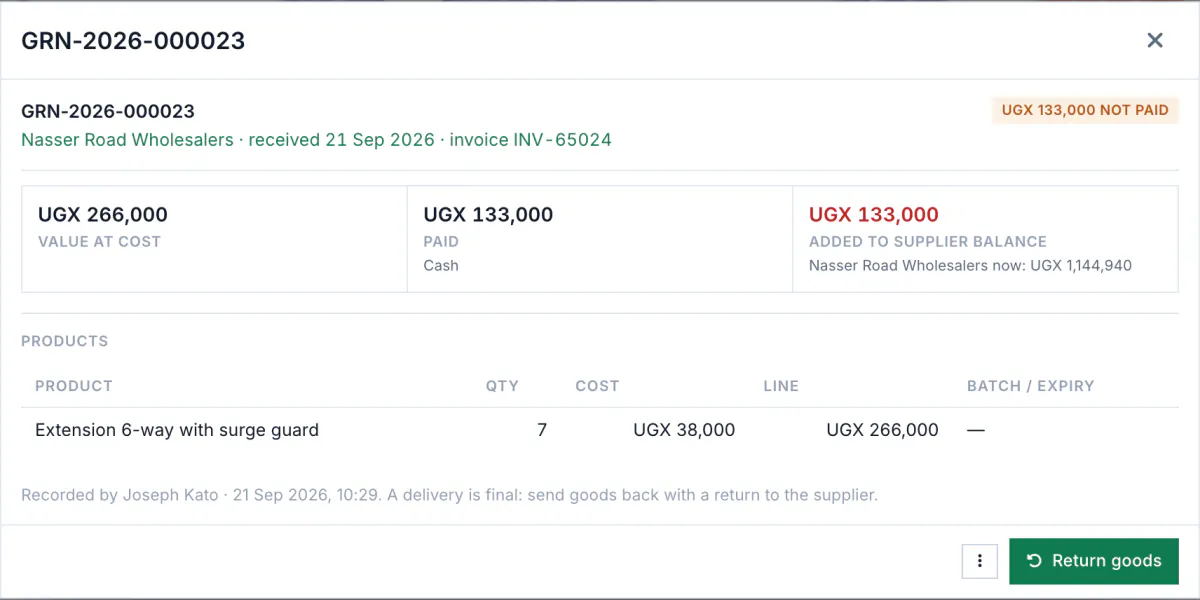
Tick what arrived against what you ordered. The stock goes up and the new buying price is kept, so profit stays true.
- Purchase orders, numbered, sent to the supplier on WhatsApp from your phone.
- Pay at delivery or later, in full or in parts. What you still owe each supplier is always there.
- Supplier returns correct the stock and the balance together.
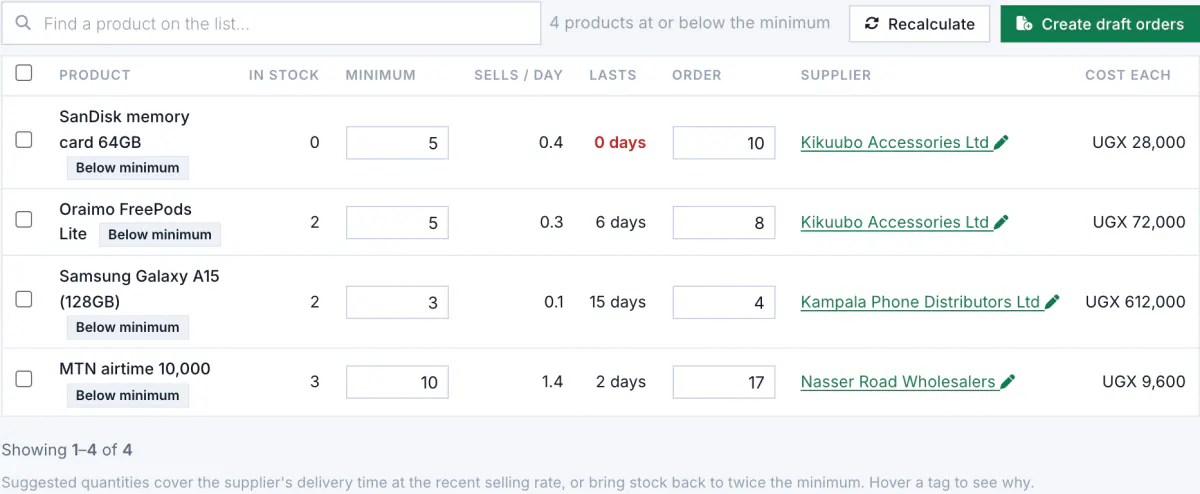
A reorder list before the shelf is empty
Products at or below their minimum are listed with the quantity to buy, worked out from the minimum and from how fast each item sells.
- From the list to an order for the supplier in a few taps.
- On plans with forecasting, the number of days until each item runs out.
- Smart reorder, when switched on, also looks at the busy days of the week, rounds to whole packs and keeps to each supplier’s minimum order.
Stock counts
Count the shelf on the phone, even with no network, or on the computer. The differences are posted for you, each with its reason.
Batches and expiry dates
For pharmacies, agro-vets and food shops: each batch with its expiry date.
- A list of what expires in the next 7, 14 or 30 days.
- Markdowns with a printed label to sell short-dated stock in time.
- First to expire, first to sell, when switched on.
Branches and transfers
On the plans that include branches, each shop location keeps its own stock, and transfers move it between them with both sides recorded.
Bring your products in
Type them in, or fill in a spreadsheet and import it: a CSV file on the computer (in Excel, choose Save as CSV), or an Excel or CSV file in the phone app.
Moving from an exercise book? Start with the products and their counts. Add customers as they come.
Questions about stock
More on the questions page.
How is the reorder quantity worked out?
From the product’s minimum and how fast it sold over the last 30 days, times the days a supplier takes to deliver. You can change it before you order.
Can I have two shops with their own stock?
Yes, on the plans that include branches. Each location keeps its own stock and transfers are recorded on both sides.